




Description
Download Scorpio Emoji Keyboard Colors – horoscope theme, zodiac keyboard, Kika Keyboard theme, emoji theme, astrology keyboard, desktop keyboard theme, mobile keyboard theme
Overview
The Scorpio Emoji Keyboard Colors is a thematic keyboard extension developed by Kika Keyboard, designed for users who wish to personalize their mobile or desktop experience with a zodiac-inspired aesthetic. This software serves as a visual and functional enhancement to the base Kika Keyboard application, offering a distinctive Scorpio-themed interface with a celestial color palette and symbolic graphics. It is intended for individuals who identify with the Scorpio sign or appreciate astrology and personalized digital environments.
The theme aims to transform the appearance of a user’s device by introducing a dynamic, transparent keyboard layout paired with a dark, intense color scheme reflective of Scorpio’s traits—loyalty, passion, and mystery. Beyond visual appeal, the software integrates a curated set of emojis and emoticons aligned with Scorpio characteristics, enhancing expressive communication. It is particularly suited for fans of horoscopes, astrology enthusiasts, and users seeking a unique, identity-driven interface on their smartphones or desktops.
As a theme rather than a standalone application, it requires the Kika Keyboard base app to function. The developer did not provide additional system requirements or performance benchmarks. Real-world usage scenarios include daily messaging, social media interaction, and personal device customization, where users seek both aesthetic satisfaction and improved typing efficiency.
Key Features & Capabilities
- Scorpio-Themed Visual Design – Features a dark, celestial color scheme with symbolic graphics inspired by the Scorpio zodiac sign, offering a cohesive and immersive visual experience.
- Exclusive Emoji Set – Includes a dedicated collection of emojis tailored to reflect Scorpio’s personality traits, such as intensity, mystery, and emotional depth.
- Transparent Keyboard Interface – Implements a semi-transparent keyboard layout that blends with the device’s background, enhancing visual appeal without obstructing screen content.
- Typing Enhancements – Offers improved spell check, auto-correct, and one-handed typing modes to increase typing speed and accuracy.
- Split-Screen Typing Support – Allows users to type while monitoring other app windows, ideal for multitasking during messaging or browsing.
- Multi-Language Compatibility – Supports over 60 dictionaries and languages, enabling seamless communication across diverse linguistic contexts.
- Integration with Kika Keyboard Base App – Functions exclusively within the Kika Keyboard ecosystem, requiring the base application for installation and operation.
These features collectively aim to elevate the daily texting experience by combining visual customization with practical functionality. For instance, users can express themselves more vividly during conversations using Scorpio-themed emojis, while benefiting from faster, more accurate typing. The split-screen and one-handed modes are especially useful for mobile users who frequently multitask or type on the go.
User Interface, Workflow & Performance
The user interface of Scorpio Emoji Keyboard Colors is designed to be intuitive and visually cohesive, with a focus on seamless integration with the Kika Keyboard base app. Navigation is straightforward, relying on standard in-app theme selection menus. Users can apply the theme through the Kika Keyboard settings, where available themes are displayed with visual previews.
Workflow efficiency is maintained through consistent access to core keyboard functions—text input, emoji insertion, and language switching—while the theme’s visual elements do not interfere with usability. The transparent keyboard layout ensures that background content remains visible, aiding in contextual awareness during typing.
Performance details were not specified by the developer. General software behavior patterns suggest that the theme operates efficiently within the Kika Keyboard framework. The developer did not provide information on CPU or RAM usage, nor did they share data on stability or responsiveness under heavy use. Users should expect typical performance levels consistent with similar theme-based extensions.
Compatibility & System Requirements
Scorpio Emoji Keyboard Colors is compatible with Android and iOS platforms. The software is designed to work seamlessly with the Kika Keyboard base application, which must be installed prior to theme activation. The installation size is 45.7 MB, indicating a lightweight download that should not significantly impact device storage.
Exact system requirements were not listed. Compatibility with specific Android or iOS versions is not specified. The developer did not provide information on minimum hardware specifications such as RAM, processor, or storage capacity. Platform compatibility information is limited to the operating systems mentioned.
Pros and Cons
Pros
- Visually striking Scorpio-themed design with celestial aesthetics
- Exclusive emoji set aligned with zodiac personality traits
- Transparent keyboard layout enhances visual integration
- Supports over 60 languages and multiple dictionaries
- Offers practical typing improvements like split-screen and one-handed modes
- Free to download and use
- Easy installation via Kika Keyboard app interface
Cons
- Requires the Kika Keyboard base app for functionality
- Limited system requirement details provided
- Performance and resource usage not specified
- Not available as a standalone application
- May not suit users who prefer minimalist or neutral keyboard designs
FAQ Section
Is Scorpio Emoji Keyboard Colors compatible with my smartphone?
The software is compatible with Android and iOS devices. However, it requires the Kika Keyboard base app to be installed first. Ensure your device runs a supported version of Android or iOS.
Is the theme safe to download and install?
Yes, the theme is distributed through official channels associated with Kika Keyboard. It is designed to integrate securely with the base keyboard application and does not include malicious components.
Can I use this theme offline?
Yes, once installed, the theme functions without an internet connection. All features, including emoji access and typing enhancements, are available offline.
How do I update the theme?
Updates are delivered through the Kika Keyboard app. Check for updates within the app’s settings or theme library to ensure you have the latest version.
What type of license does this software have?
Scorpio Emoji Keyboard Colors is free to download and use. It operates under a freemium model, with no in-app purchases or subscription fees required for core functionality.
Final Thoughts + CTA
Scorpio Emoji Keyboard Colors delivers a compelling blend of visual flair and practical utility for users who value personalized digital experiences. Its zodiac-inspired design, exclusive emoji set, and typing enhancements make it a standout choice for astrology fans and mobile personalization enthusiasts. While it relies on the Kika Keyboard base app and lacks detailed system specifications, its lightweight size and free access make it an accessible option for a broad audience.
For those who identify with the Scorpio sign or enjoy themed digital interfaces, this keyboard theme offers both aesthetic satisfaction and functional benefits. It enhances daily communication with expressive tools and efficient typing modes, all within a cohesive and immersive design.
Download Scorpio Emoji Keyboard Colors now
Guides & Tutorials for Scorpio Emoji Keyboard Colors
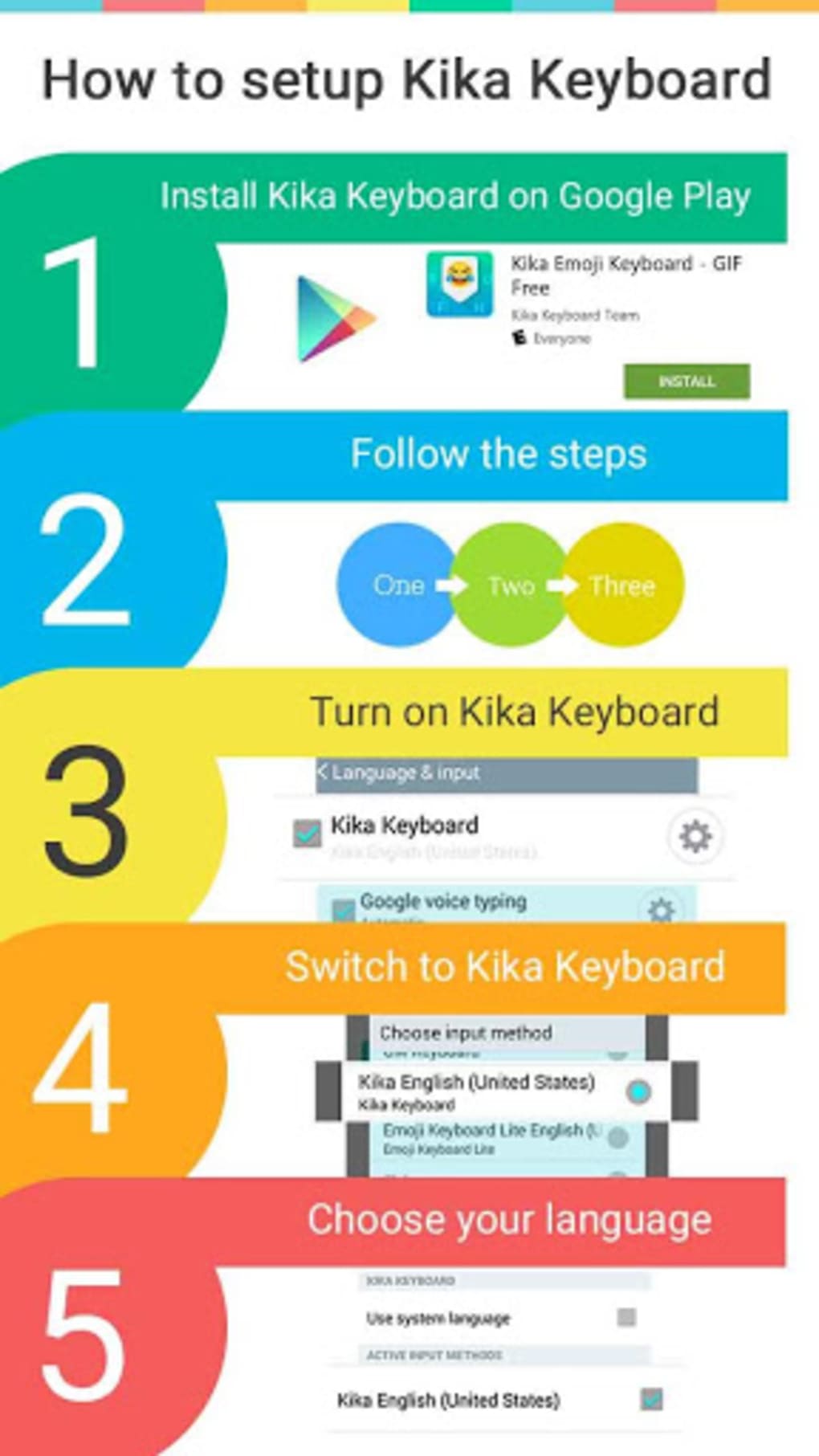
How to install Scorpio Emoji Keyboard Colors
- Click the Preview / Download button above.
- Once redirected, accept the terms and click Install.
- Wait for the Scorpio Emoji Keyboard Colors download to finish on your device.
How to use Scorpio Emoji Keyboard Colors
This software is primarily used for its core features described above. Open the app after installation to explore its capabilities.
User Reviews for Scorpio Emoji Keyboard Colors 0
No reviews found





